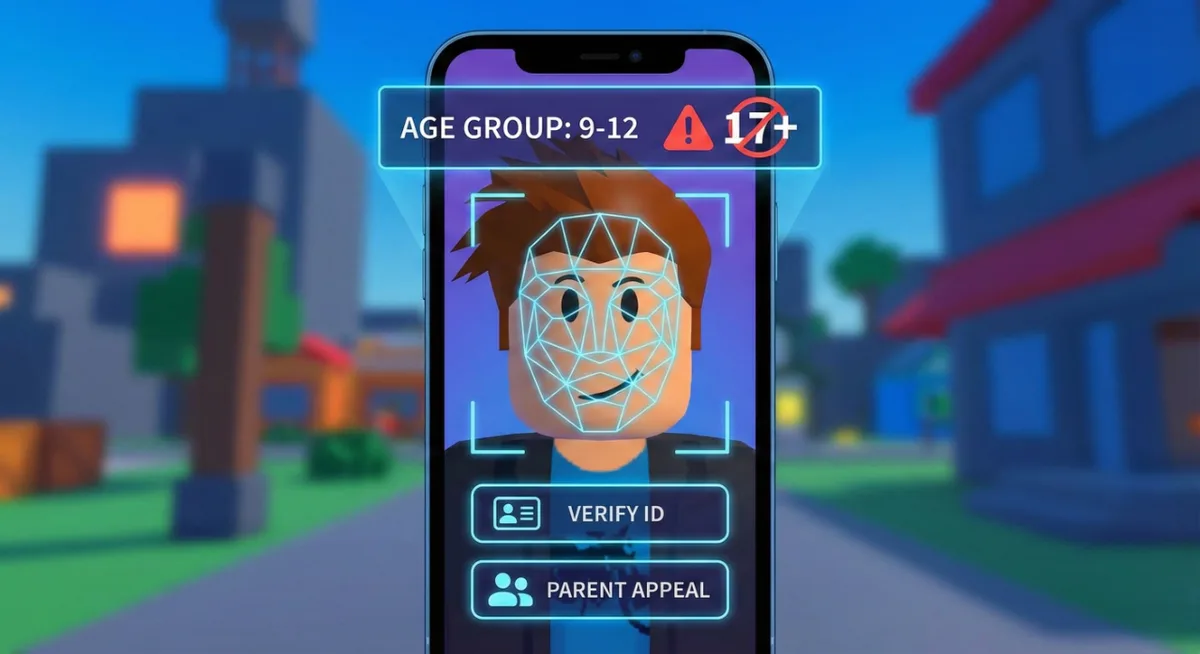
Roblox's AI face scan put you in the wrong age group? You're not alone. The December 2025 age verification rollout has been a disaster. I've seen 17-year-olds get classified as 9-12, adults stuck in teen brackets, and 13-year-olds locked out of chatting with their friends.
The fix depends on how much time has passed and whether you have ID. I'll walk through every method.
Why Roblox Got Your Age Wrong
The new face scan uses AI to estimate your age from a selfie video. Problem is, AI sucks at this. Lighting, camera quality, facial features, and even your expression can throw it off by years.
Roblox groups players into these brackets:
| Age Group | Chat Access |
|---|---|
| Under 9 | Most restricted |
| 9-12 | Can chat with 9-12 only |
| 13-15 | Can chat with 13-17 |
| 16-17 | Can chat with 13-17 + some 18+ |
| 18-20 | Adults only |
| 21+ | Adults only |
If you're 15 but got put in 9-12, you can't talk to your 16-year-old friends anymore. If you're 21 but got put in 18-20, same problem. The system doesn't care about your actual birthday.
The 48-Hour Window (Act Fast)
If your age was just set within the last 48 hours, you can fix it with ID verification.
This is your best shot. Roblox gives a short window to correct AI mistakes before locking your age group permanently.
How to use the 48-hour window:
- Go to Settings on Roblox (website or app)
- Click Account Info
- Look for Verify Age or Update Age Group
- Select Verify with ID
- Upload a government-issued ID (driver's license, passport, national ID)
- Wait for verification (usually 5-30 minutes)
Your ID must show your real birthdate. Roblox will update your age group to match.
What counts as valid ID:
- Driver's license
- Passport
- National ID card
- State ID
School IDs don't work. Neither do birth certificates (no photo).
No ID? Parent Account Method
If you're under 18 and don't have ID, a parent can verify your age for you.
This requires a parent or guardian to:
- Create their own Roblox account (or use existing one)
- Verify their identity with their ID
- Link your account as their child
- Contact Roblox Support to correct your age
Step-by-step parent verification:
Parent's side:
- Parent logs into their Roblox account
- Goes to Settings > Account Info > Verify Age
- Completes ID verification
- Goes to Settings > Family > Add Child Account
- Enters your username to link accounts
Your side:
- Accept the parent link request
- Parent contacts Roblox Support
- Explain the AI got your age wrong
- Request age correction based on parent verification
This takes longer than ID verification (1-3 days) but works for players without their own ID.
Contacting Roblox Support
If the 48-hour window passed or the above methods didn't work, Support is your last option.
Go to: https://en.help.roblox.com/hc/en-us/requests/new
Select: Account Issues > Age Verification Problem
Include in your message:
- Your username
- Your actual birthdate
- What age group you were placed in
- What age group you should be in
- Whether you have ID available
- Device you used for face scan
Sample message:
My username is [USERNAME]. I completed the face scan age verification on [DATE] and was placed in the 9-12 age group. I am actually 15 years old (born [BIRTHDATE]). The AI incorrectly estimated my age. I have [ID type] available to verify my real age. Please correct my age group to 13-15.
Support responses take 2-7 days. Some players report success, others get generic "we can't change verified ages" responses. Persistence helps. If denied, reply explaining it was an AI error, not you lying about your age.
What If Nothing Works?
I'll be real. Some players are stuck. Roblox's system doesn't have a great appeals process for AI mistakes.
Options if you're actually stuck:
Wait it out. Your age group updates when you "turn" the next bracket age according to Roblox's records. If you're stuck in 9-12 but should be 13-15, you'll move up when Roblox thinks you turn 13.
Use Trusted Connections. This feature lets you chat with specific friends regardless of age group. See our Roblox Trusted Connections guide for setup.
New account (last resort). Some players made new accounts and did the face scan with better lighting. Not ideal if you have progress, but it works.
Age Groups and What They Mean
Your age group affects more than chat. Here's what each bracket can and can't do:
Under 9:
- Most restricted chat
- Can't see messages from older players
- Limited game access (17+ games blocked)
9-12:
- Can chat with 9-12 age group
- Can't chat with teens or adults
- 17+ games blocked
13-15:
- Can chat with 13-17 age groups
- Can't chat with adults (18+)
- Some mature games accessible
16-17:
- Can chat with 13-17 and some 18+
- Voice chat available (if verified)
- Most games accessible
18-20:
- Adult chat only
- Full voice chat
- All games accessible
21+:
- Adult chat only
- Full features
- All games accessible
The 16-17 bracket is the "sweet spot" for features without being isolated from younger friends. 21+ is actually restrictive because you can't chat with anyone under 18.
Common Questions
Can I redo the face scan?
Not on the same account after 48 hours. The age locks in.
Will my age group ever update automatically?
Yes, when Roblox thinks you've aged into the next bracket based on their records. But if they think you're 10, you'll wait 3 years to hit 13.
Does VPN help?
No. Age verification is account-based, not region-based. VPN only helps with region chat restrictions (different issue).
Can I use someone else's face?
Technically yes, people have done it. But you'll be stuck with whatever age that face scans as. And if Roblox catches it, account ban.
What if I'm verified as older than I am?
Same problem in reverse. You'll be in adult-only chat, unable to talk to younger friends. Same fix methods apply.
The Bigger Picture
Roblox rushed this system out to comply with regulations in Australia, Netherlands, and New Zealand. The global rollout in January 2026 means everyone deals with it soon.
The AI isn't great. Roblox knows this. They'll probably improve it over time. But right now, thousands of players are stuck in wrong age groups with limited options.
If you got misclassified, try the fixes above. If nothing works, Trusted Connections is your best workaround for chatting with friends.
Related Help Articles
- Roblox Trusted Connections Guide - Chat with friends despite age groups
- Roblox Voice Chat Fix - VC missing after verification
- Roblox Region Chat Restrictions - Australia/NZ/Netherlands issues